 Unilytic
For Amazon.in FBA sellers
The command center for your FBA inventory.
Unilytic reads your Amazon seller data and turns it into answers: what to send, where to send it, how much — and what Amazon may still owe you.
Getting started
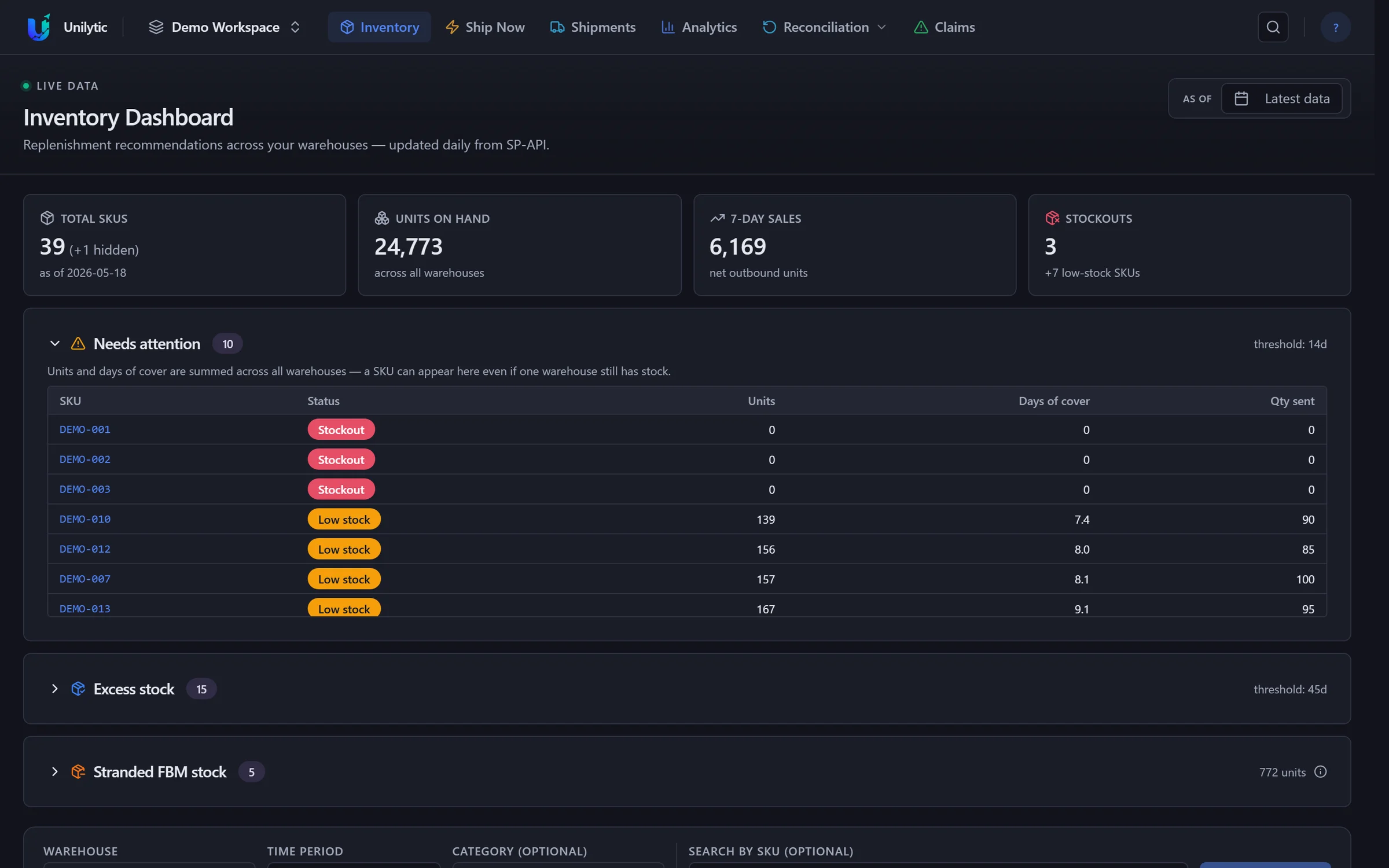
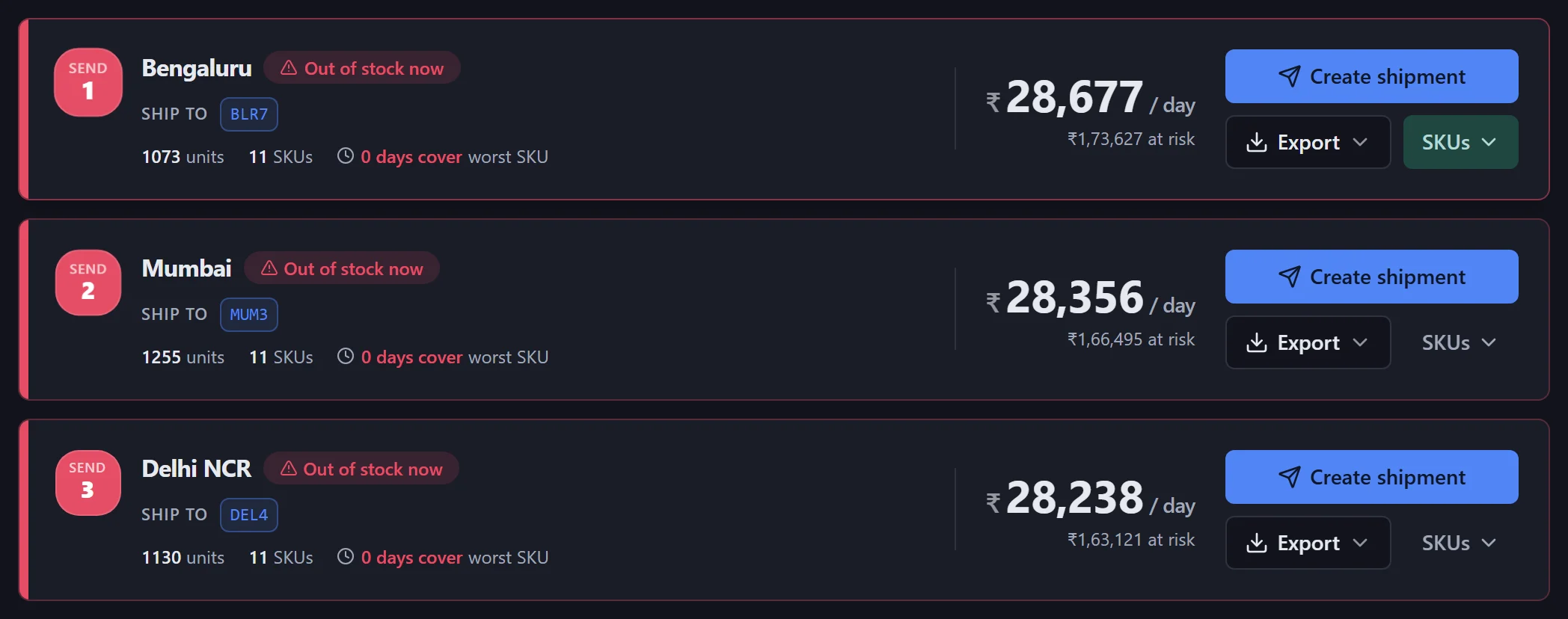
Connect Amazon once. Unilytic takes it from there.
- 1
Create your workspace
Sign up with Google or email, then a three-step setup: your profile, your organisation, your plan. The 30-day trial needs no card.
- 2
Log in with Amazon
Approve access in Seller Central. Unilytic never sees your Amazon password; the token is stored encrypted and can be revoked from Seller Central.
- 3
Let the first import run
A live checklist shows each data set arriving. Prefer not to connect yet? Upload your Inventory Ledger CSV instead.
Inventory dashboard
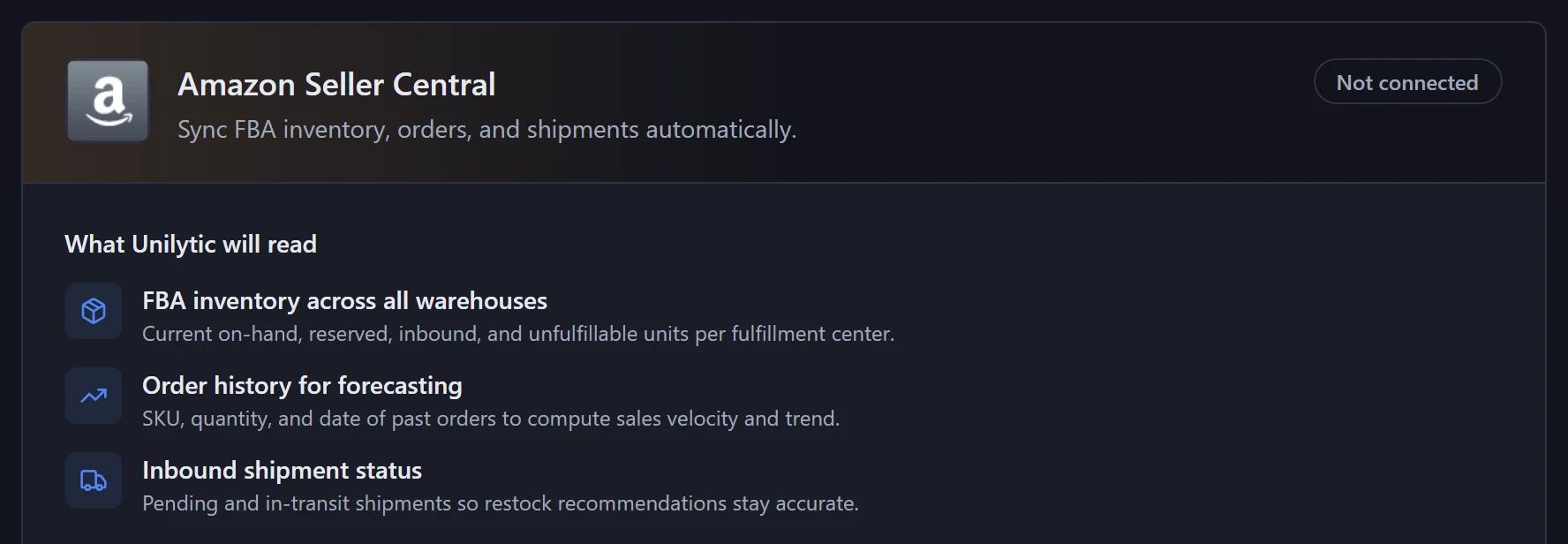
Open it in the morning. What needs attention is already on top.
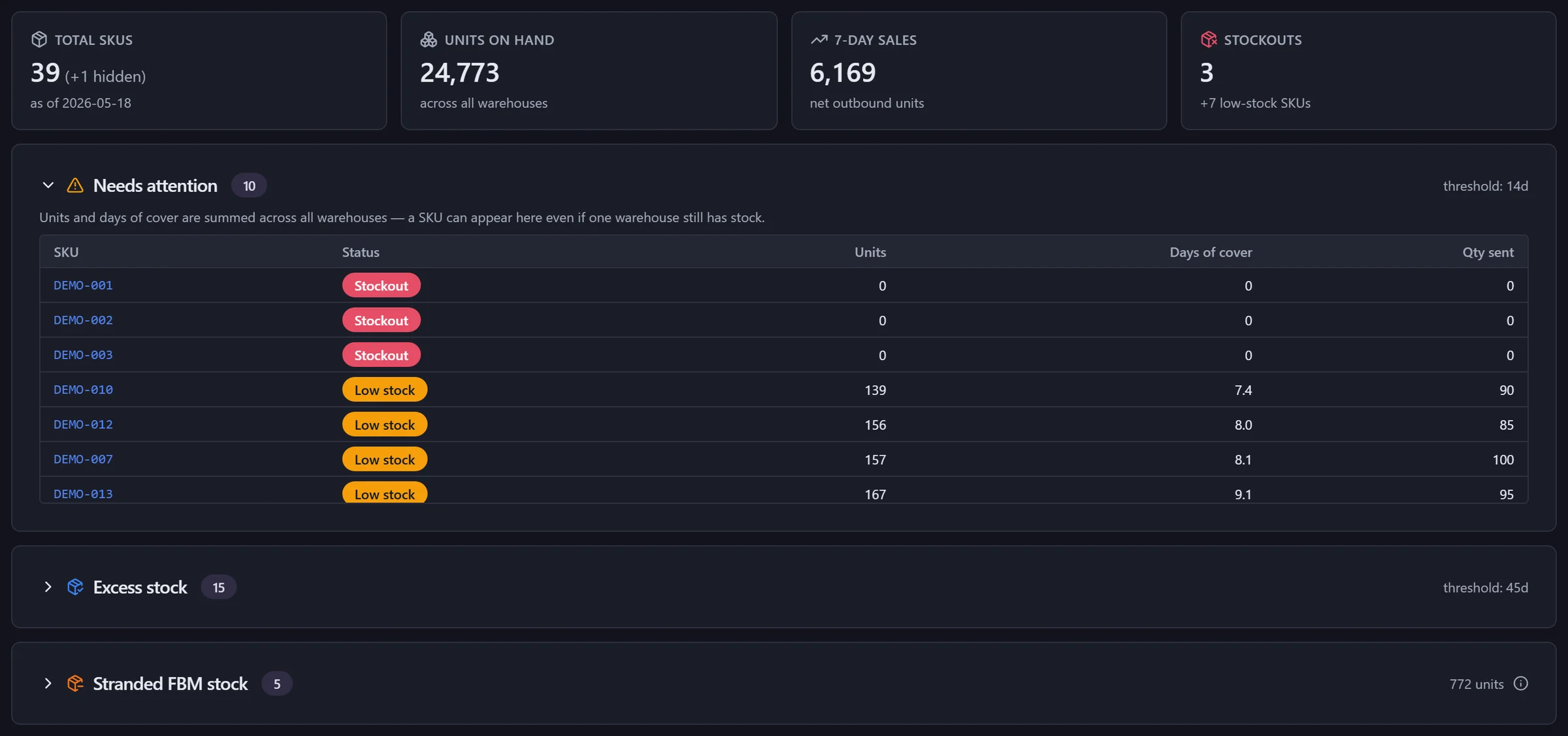
- 1
The day in four numbers
SKUs, units on hand across every location, 7-day sales and stockouts.
- 2
Needs attention
Stockouts and low-stock SKUs, with units, days of cover and quantity already sent.
- 3
Excess stock
SKUs holding more cover than your threshold — candidates to pull back.
- 4
Stranded FBM stock
Seller-fulfilled listings that still have units sitting in Amazon's warehouses.
Look back in time
Pick any past date under As of and the dashboard shows your stock as it stood that day.
Replenishment tables
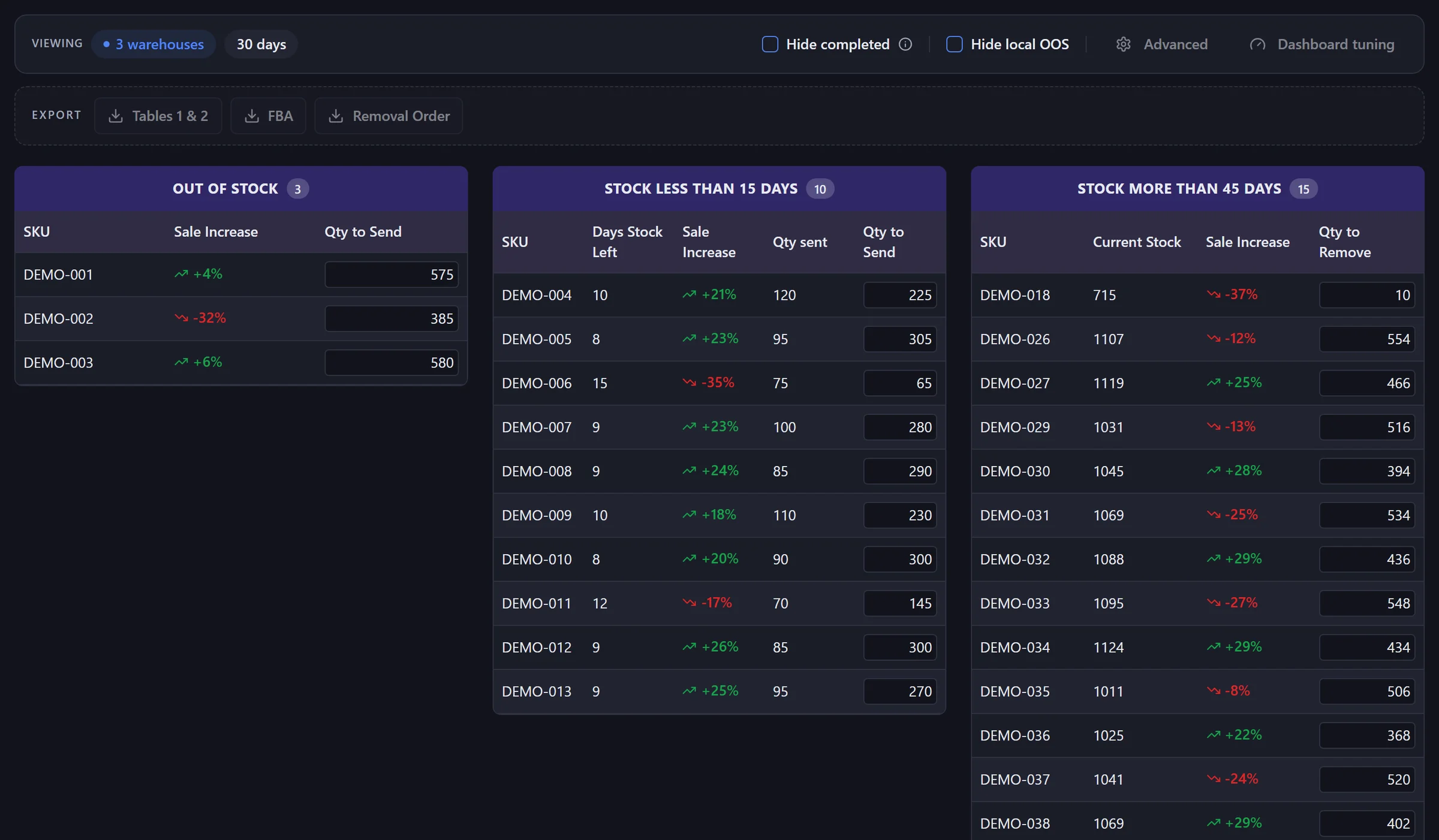
Three tables. One decision each.
- !
Out of stock → send
With the sales trend and an editable quantity to send.
- ↓
Running low → send
Days of stock left, quantity already sent, quantity to send.
- ↑
Too much → pull back
A suggested quantity to remove, capped at half the stock.
Edit any quantity, then export the result as an FBA shipment file or a removal order.
Ship Now
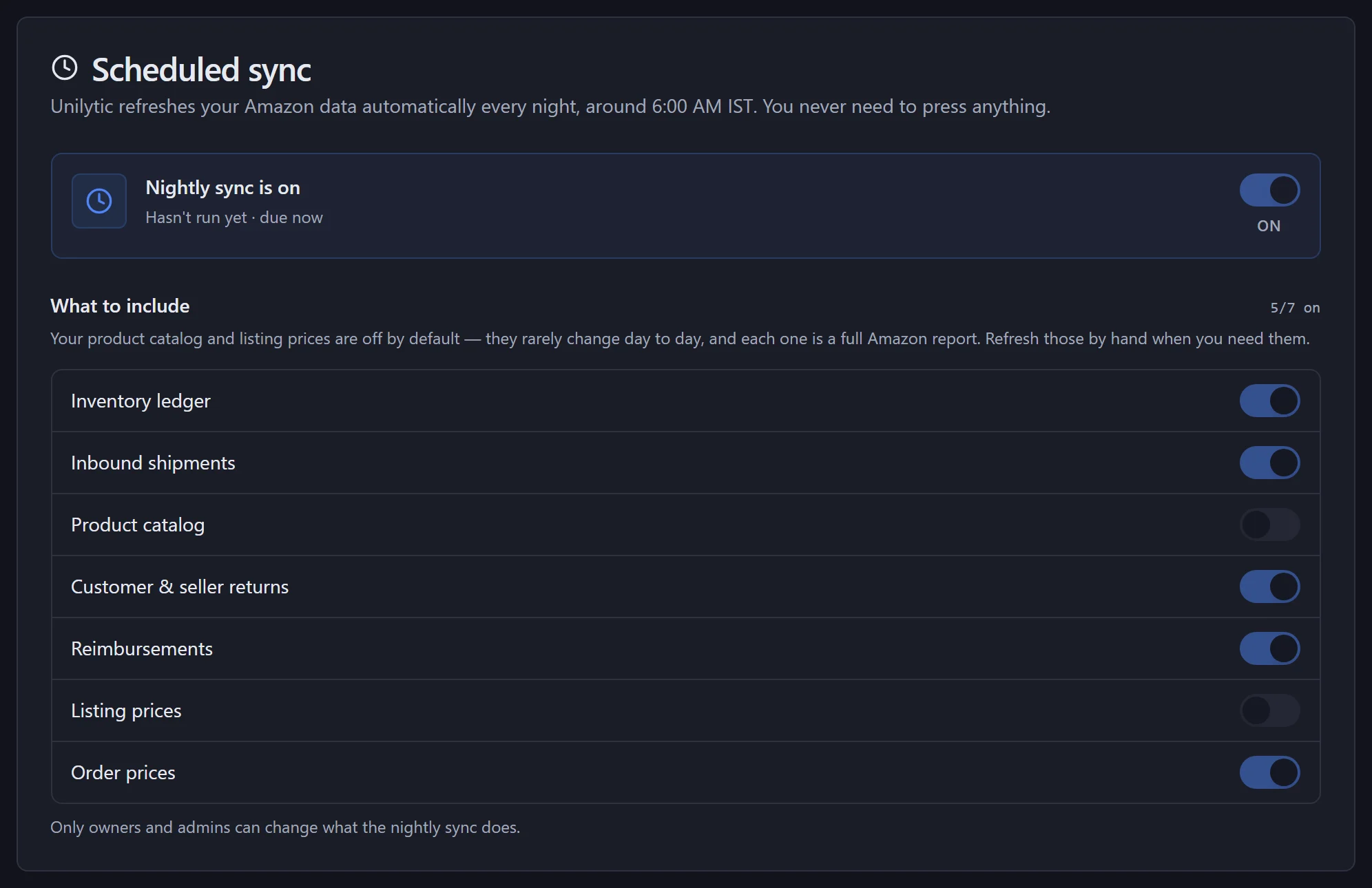
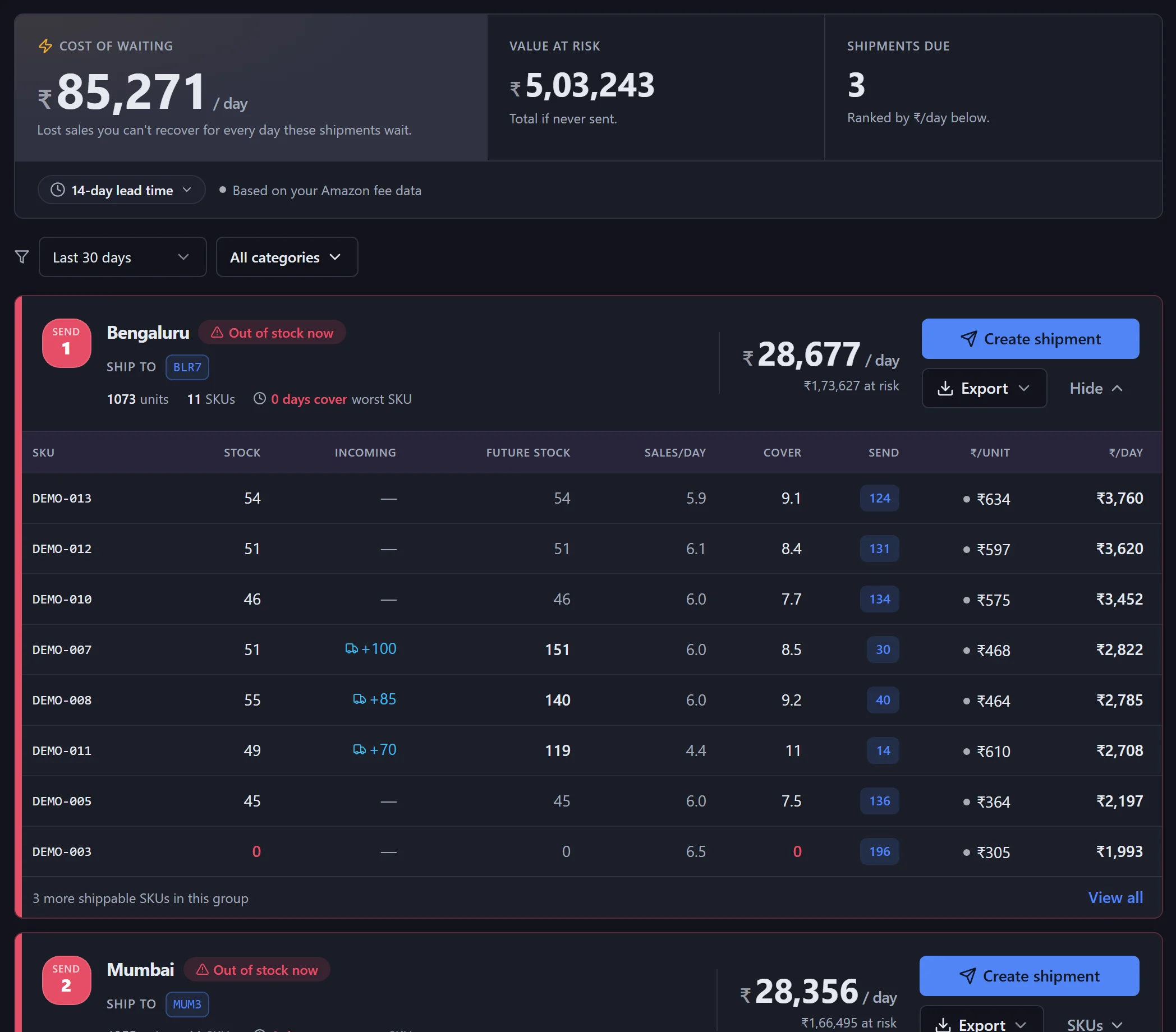
What to send, where, and which box goes first.
- 1
The cost of waiting
Sales you can't get back for every day these shipments wait.
- 2
Ranked by ₹ per day
One card per region, most urgent first, with the fulfilment centre to ship to.
- 3
Units per SKU
Stock, incoming, sales per day, cover and the quantity to send.
Shipments
From recommendation to a shipment you can file.
Create shipment
One click from a Ship Now card, prefilled with the SKUs and units.
FBA shipment file
Export the quantities in Amazon's format, or as Excel for your team.
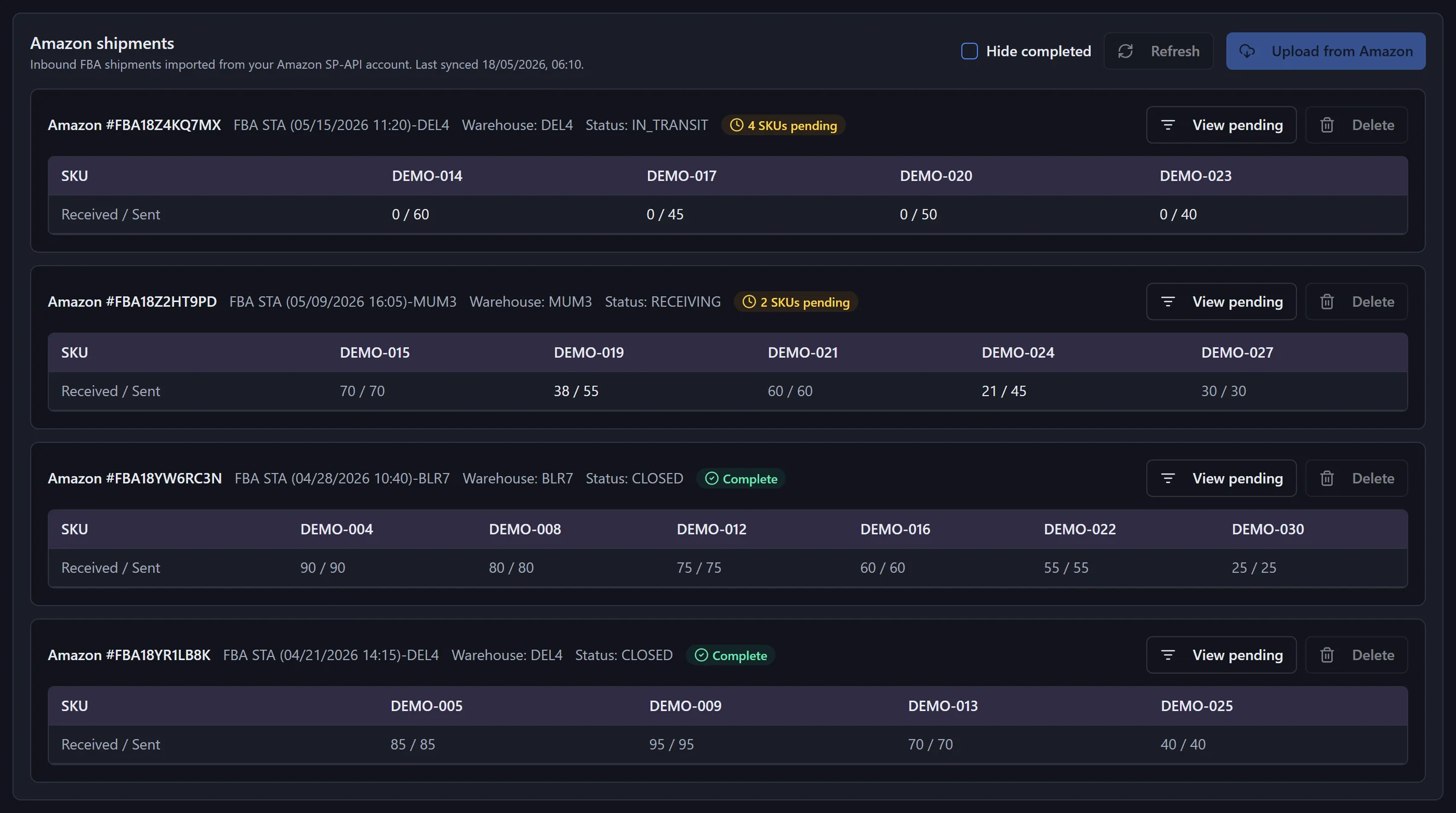
Sent vs received
Inbound FBA shipments sync from Amazon per SKU. Units not yet received count as incoming, so they aren't sent twice.
Analytics
See how each SKU is really selling — and where it sits.
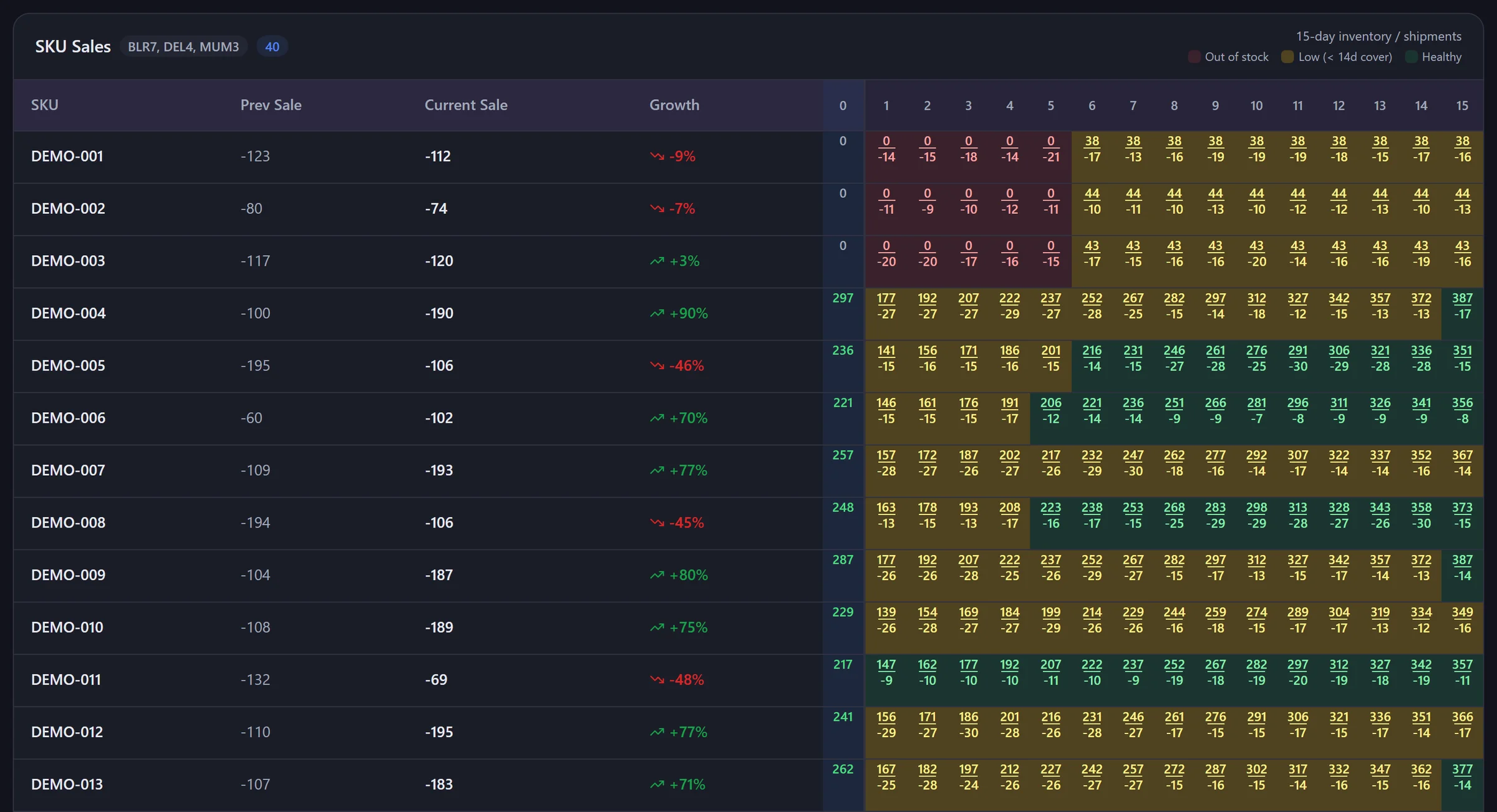
Period over period
Sales this period vs the one before, with growth per SKU and subtotals by sub-category.
15-day stock history
Daily stock and shipments per SKU, coloured out of stock, low or healthy.
Future stock
Stock plus what's already on the way, so you don't reorder what's coming.
Reconciliation
Find what Amazon may still owe you.
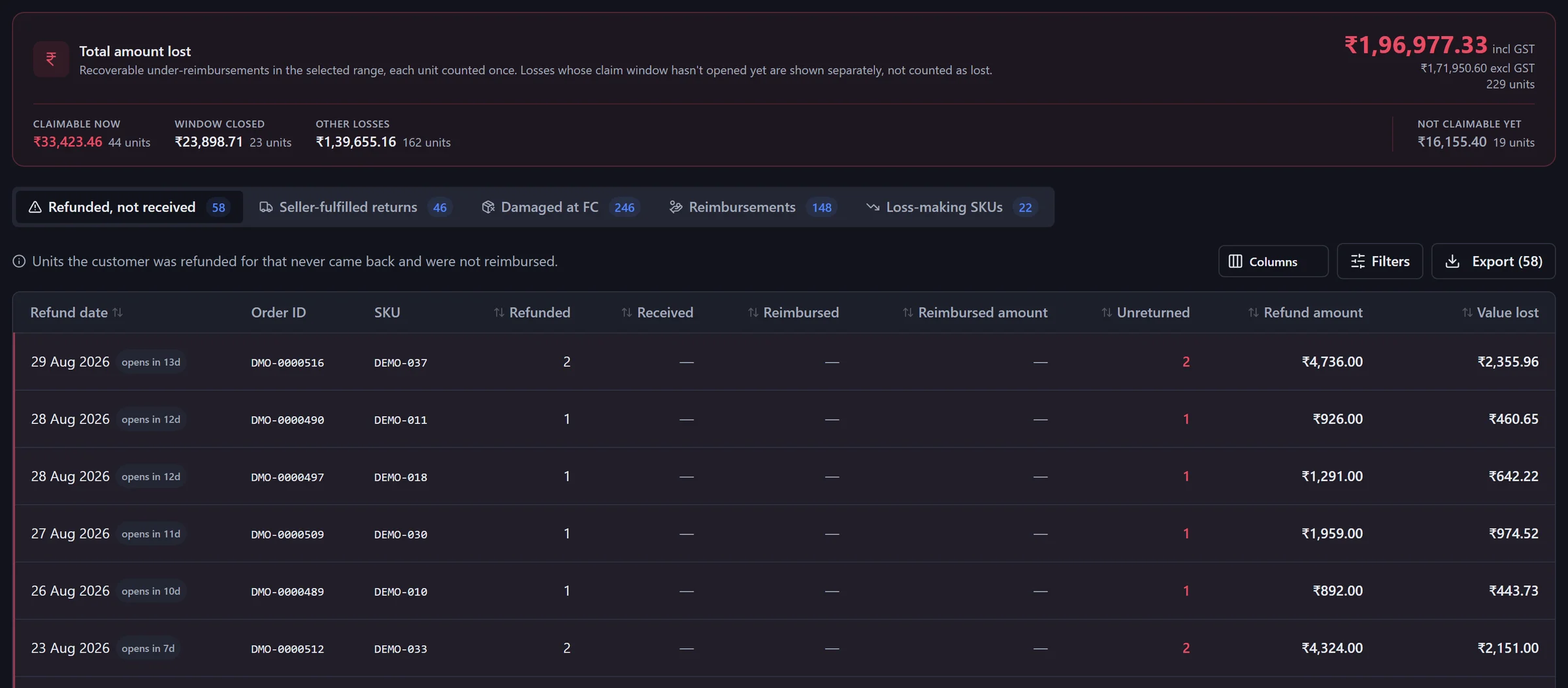
- 1
One total, each unit once
Money lost in the date range, including and excluding GST.
- 2
Sorted by what you can do
Claimable now, window closed, and not claimable yet — losses whose claim window hasn't opened are kept separate.
- 3
Every line, order by order
Order ID, SKU, units, refund and value lost, with a badge for when the window opens or closes.
Five views
Five ways stock turns into money you're owed.
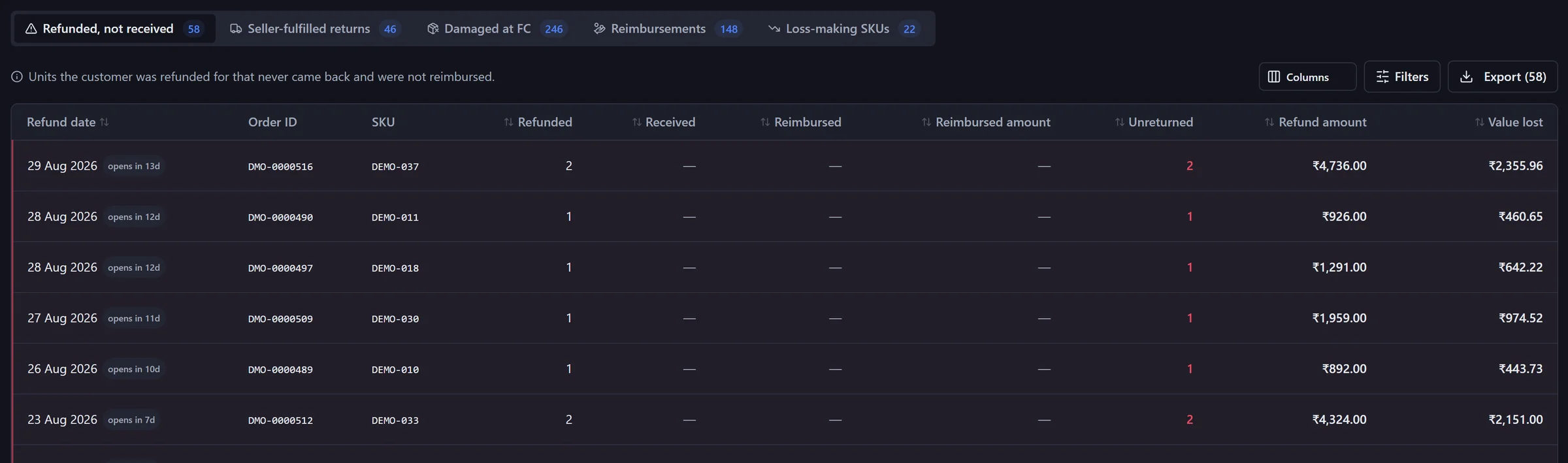
Click a view to switch. Each tab carries its own count, filters and export.
Unilytic doesn't file claims for you. It shows which ones are worth filing and whether the claim window is open, so the time you spend in Seller Central goes to the right cases.
Warehouse returns
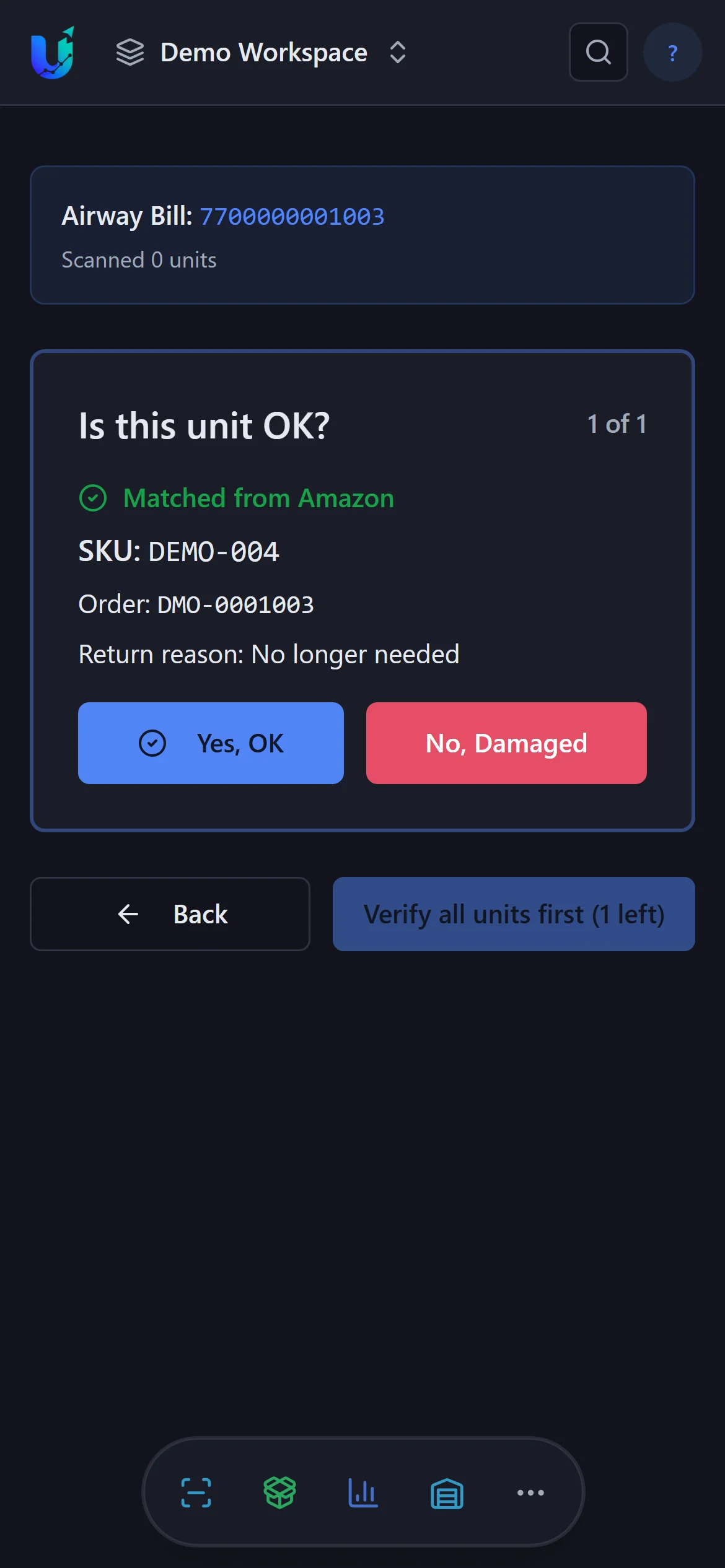
Every return that reaches you, scanned and graded.
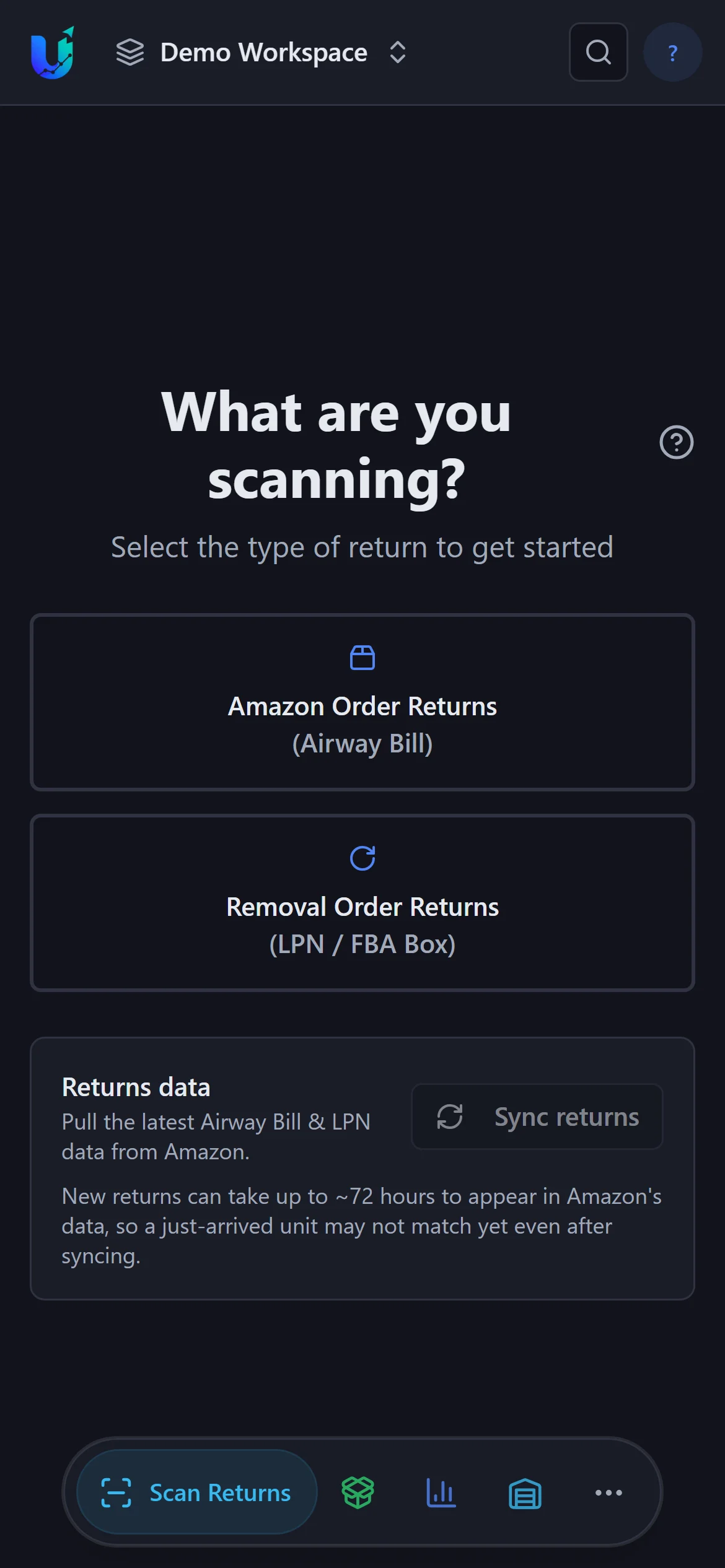
Customer returns by airway bill; removal orders by box ID and LPN. The phone camera reads the barcode — or type it in.
Matched to Amazon's return record, then marked OK, damaged in transit, defective, wrong item or missing parts — usable or not, with up to 5 photos per unit.
Damaged units carry their evidence straight into claim tracking.
New returns can take up to ~72 hours to appear in Amazon's data.
Claims & reimbursements
Every damaged unit keeps its story — until it's paid.
Claim status
Applying records the Amazon case ID; a received claim records what was filed and what was sanctioned. Claim postponed keeps a reimburse-by date — and a reminder email before it passes.
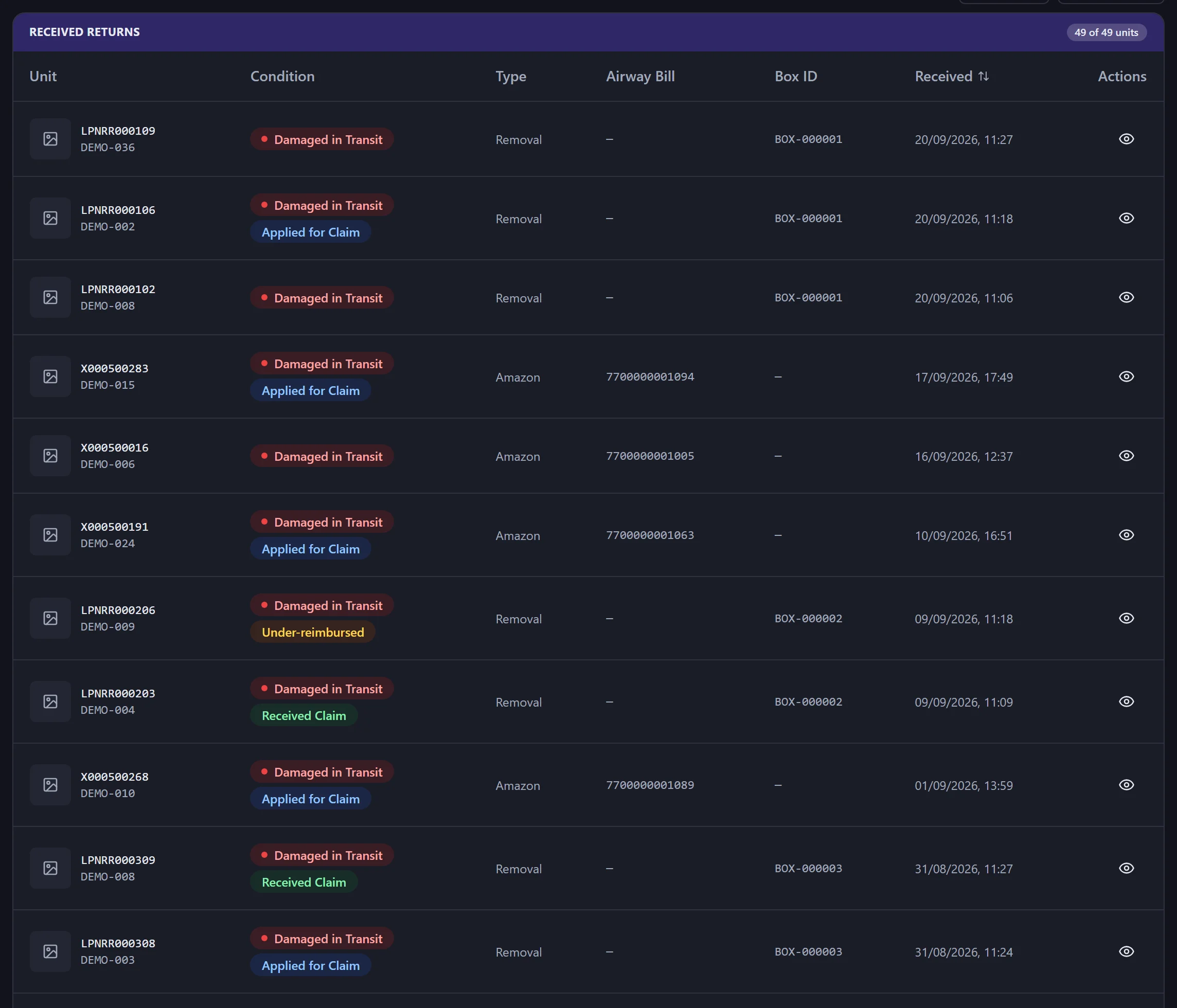
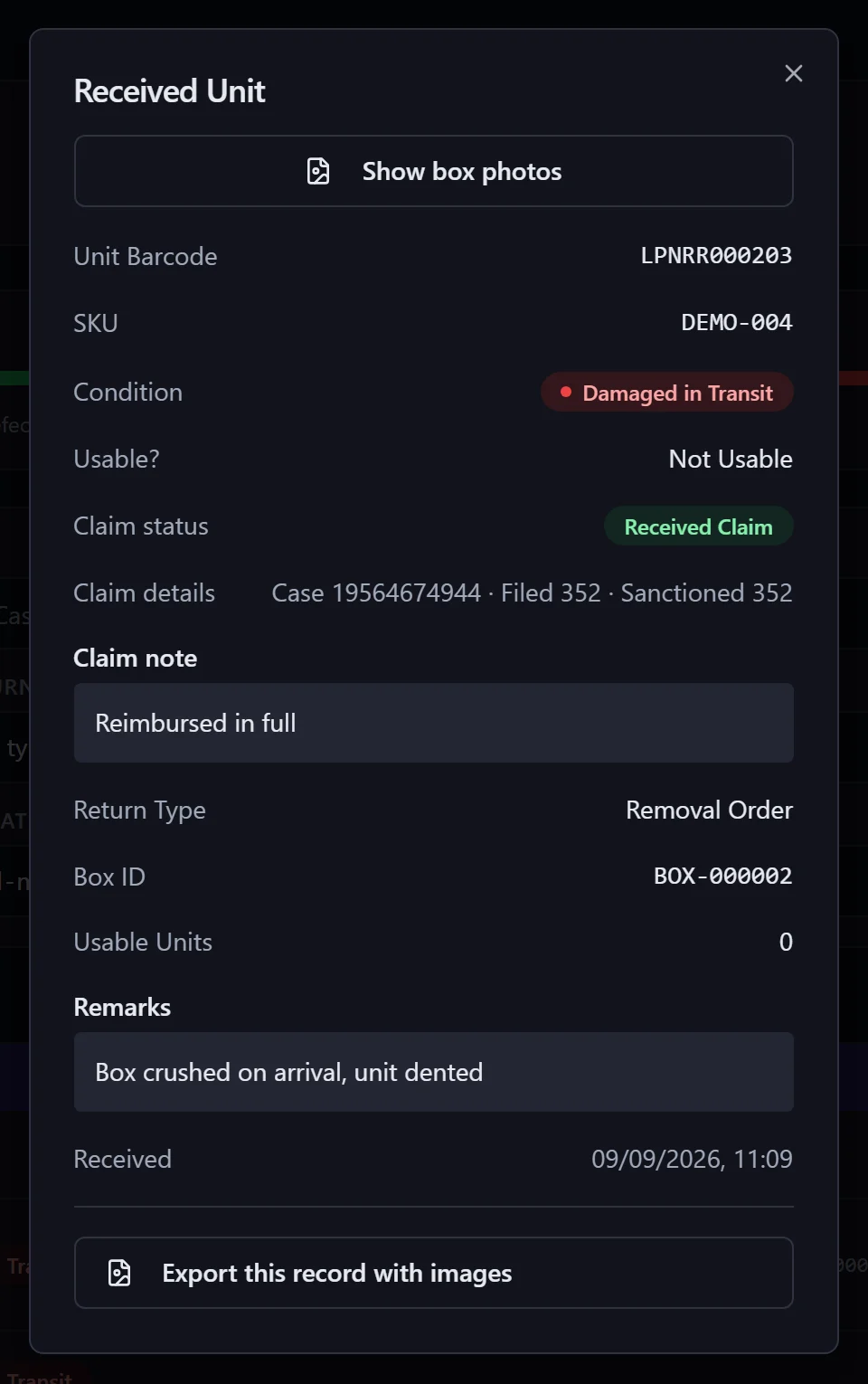
SAFE-T claims and FBA reimbursements synced from Amazon are matched to scanned units automatically; a manager accepts or dismisses each match.
Automated reports
The answers come to you — in your inbox or Slack.
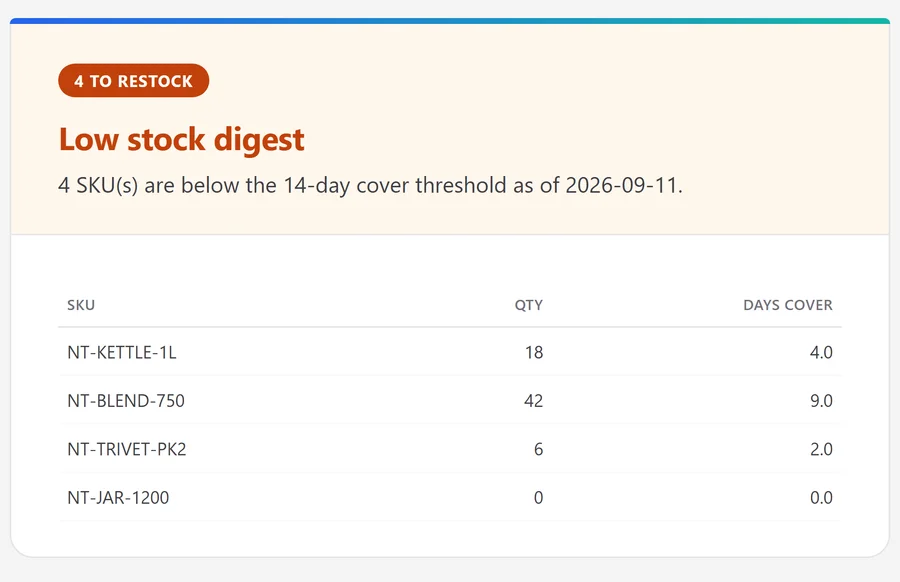
Low stock digest
SKUs running short on cover.
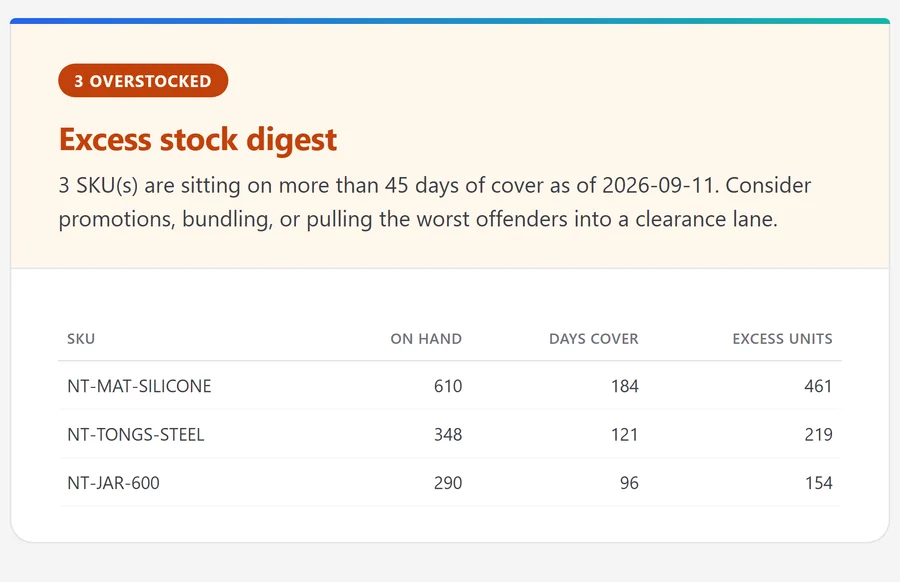
Excess stock digest
SKUs holding more stock than they need.
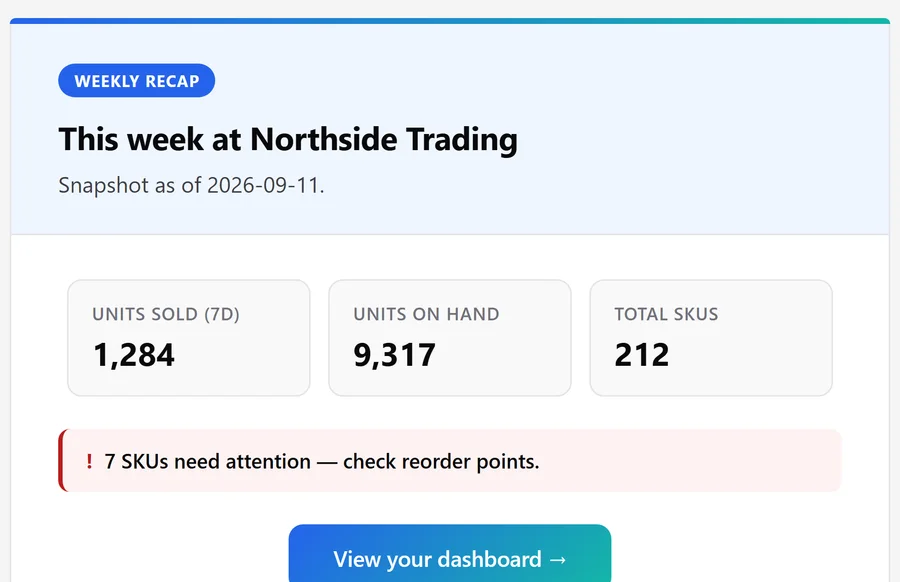
Weekly growth recap
Units sold, units on hand, SKUs needing attention.
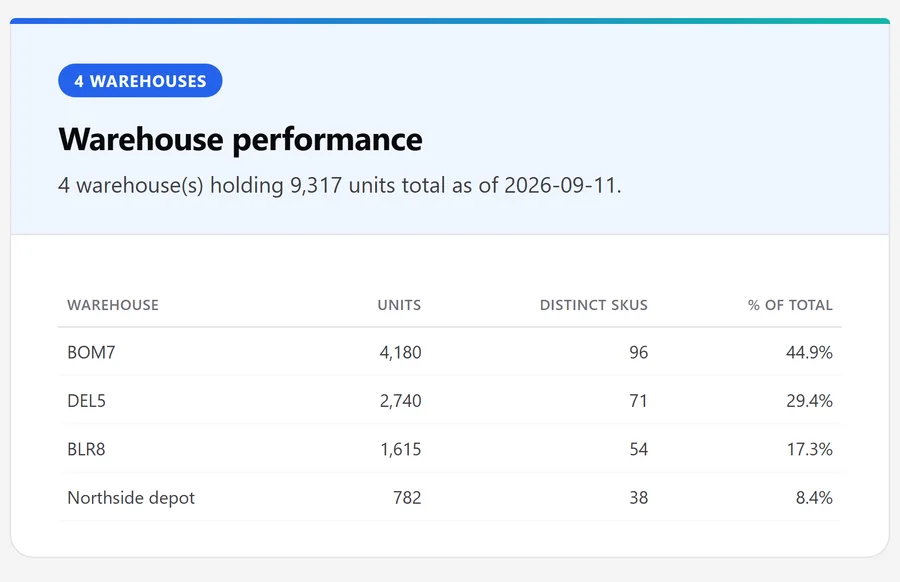
Warehouse performance
Units and SKUs held in each location.
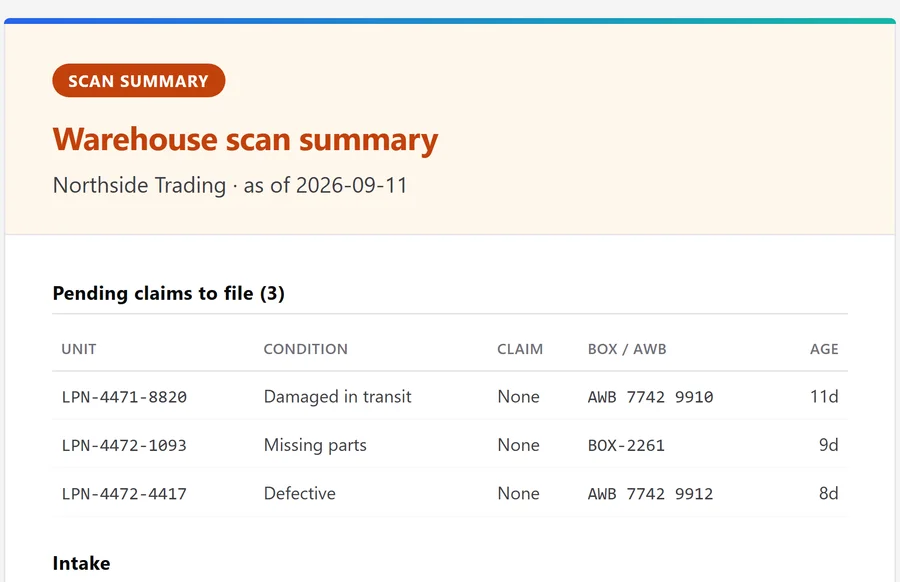
Warehouse scan summary
Damaged units with claims still to file, plus intake.
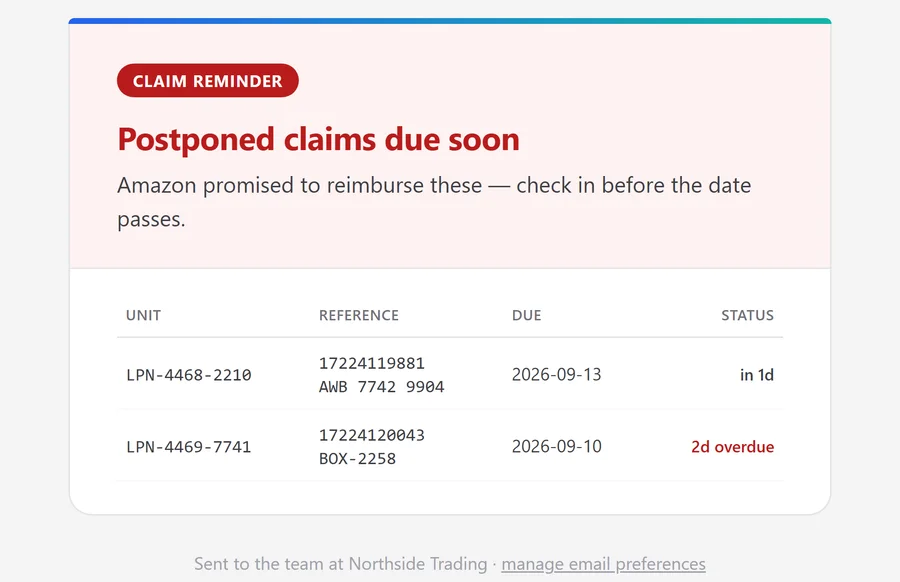
Claim reminder
Postponed claims coming due — or overdue.
Real email templates, shown with sample data. Alerts also go out on their own — for example when a sync stalls or Amazon needs reconnecting.
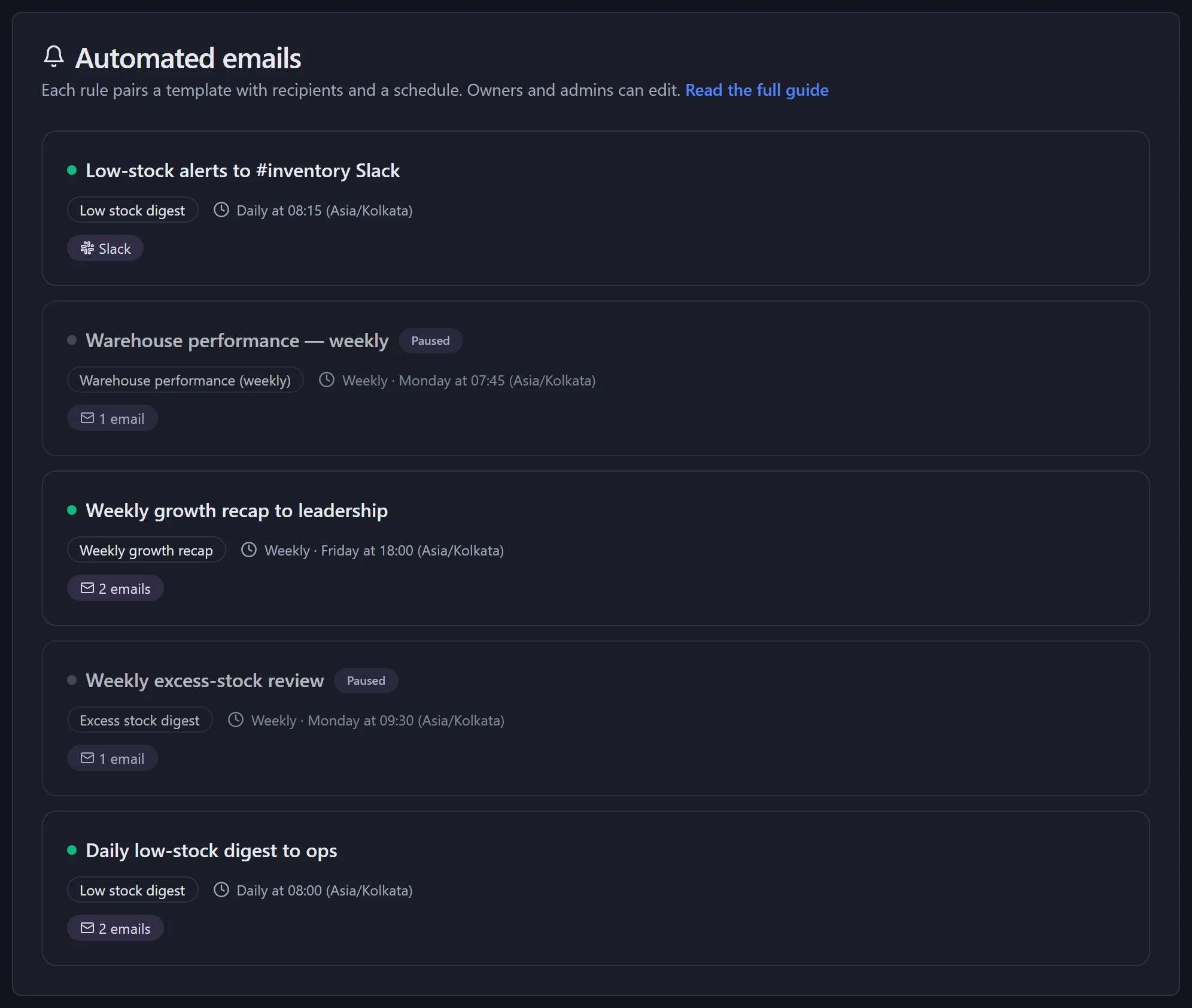
Rules
Set it up once. It keeps running.
A rule = report + people + schedule
Daily or weekly, at a time you pick, in your timezone. Send a test first.
Post to Slack
Point a rule at a Slack channel instead of, or as well as, email. Pro and Business.
Pause any time
Pause one rule or all of them; every recipient can unsubscribe.
Your team
The owner decides. The warehouse scans. Everyone sees what they need.
Run the organisation: settings, members and the Amazon connection.
Day-to-day planning: uploads, shipments, exports.
Read everything, change nothing — for accountants and advisers.
Sees only the scan screen and returns log; can request, not make, deletions.
Resolves claims and approves delete requests.
Who changed what — settings, members, syncs, shipments.
Invite by email; one person can hold several roles and belong to several organisations under one login.
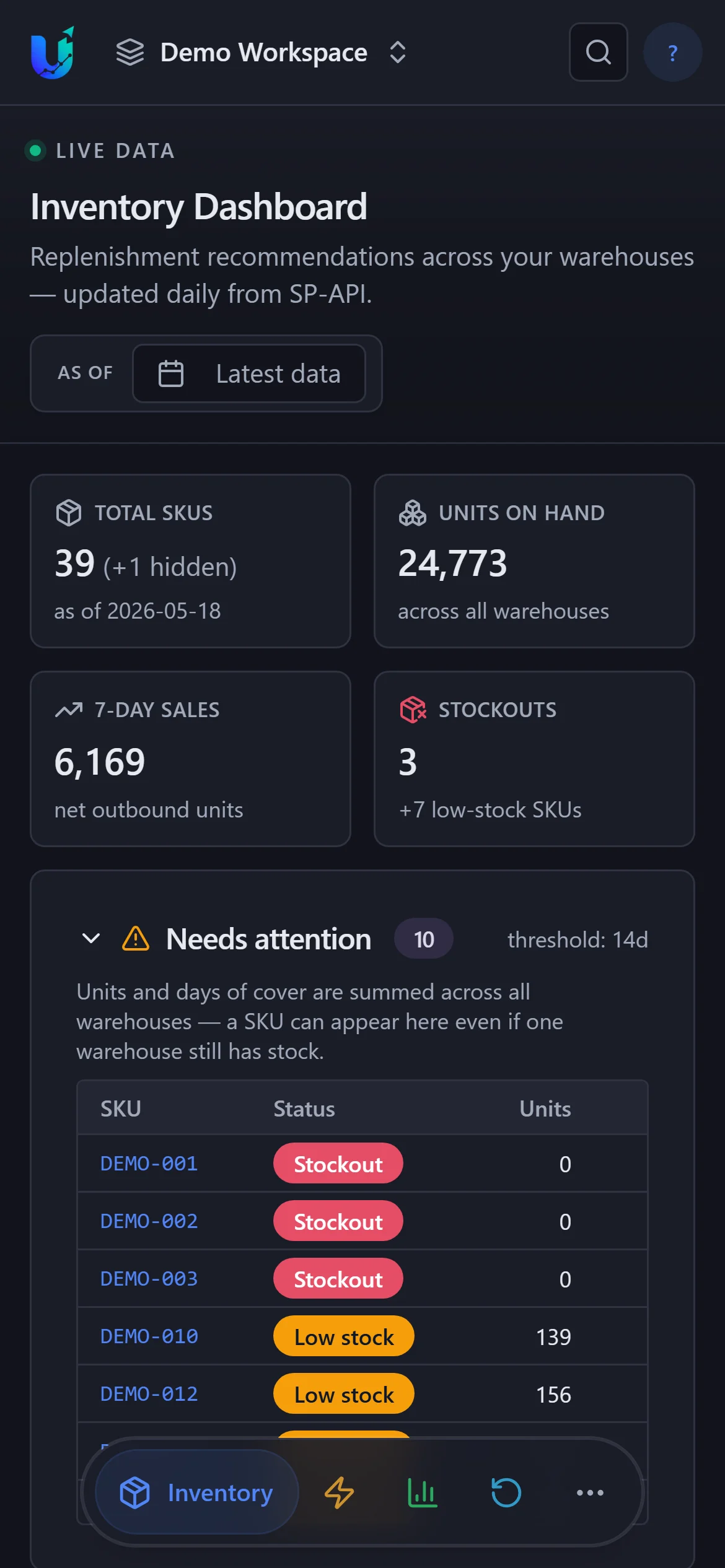
The whole app works on a phone.
See it on your own data.
Tour the fully-loaded demo workspace, try the send list on your own Inventory Ledger without signing up, or start the 30-day trial.